How to Redeem Codes in Coding Simulator 2?
Boost your programming empire instantly by redeeming codes. Follow these exact steps verified by the community:
- Launch Coding Simulator 2 on Roblox.
- Click on the Green Buy button on the left side of the screen.
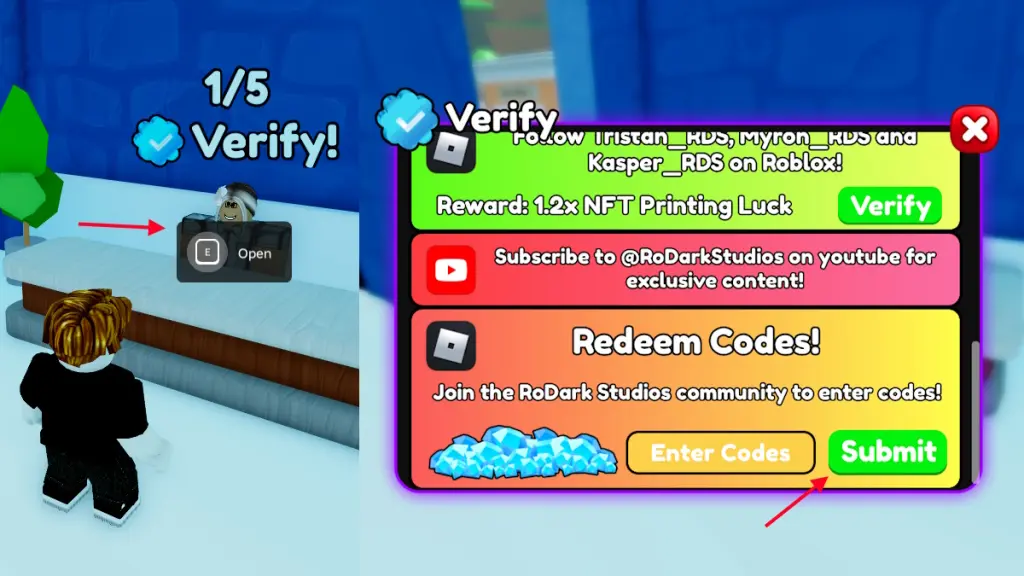
- Go to the Verify 0/5 counter on the left side of the room.
- Tap on the Open button.
- Scroll down to find the Redeem Code section.
- Enter an active code and hit the Submit button to claim your rewards!